
How to Find Your Windows 11 Product Key
Supports Windows 7/8/10/11 and Windows Server
Table of Contents
1. Find Windows 11 Pro Product Key using Magic Recovery Key
Magic Recovery Key can easily find the Windows system key on your current computer, regardless of whether it’s running Windows 11, Windows 10, or any other Windows version. Simply run the program, and it will list your product key for you.
Step1. Click “Registry Keys” tab under “Local”.
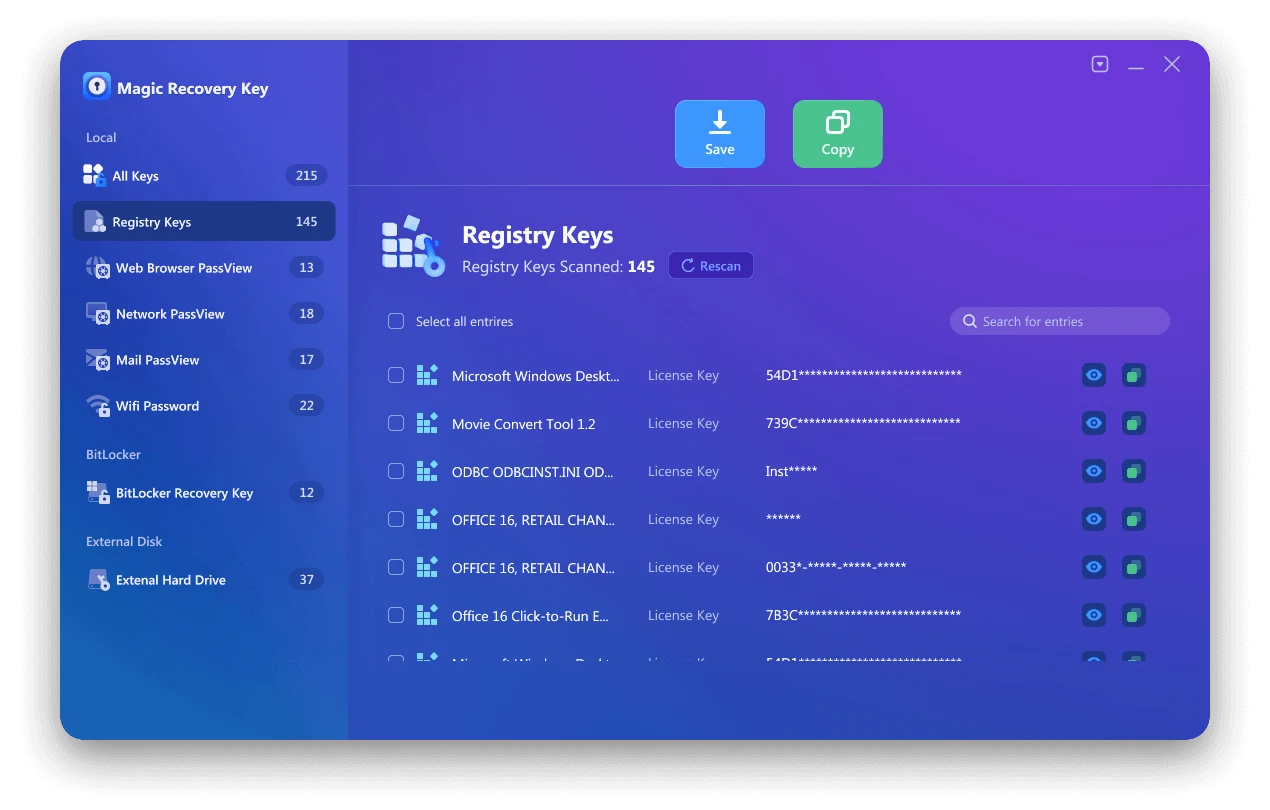
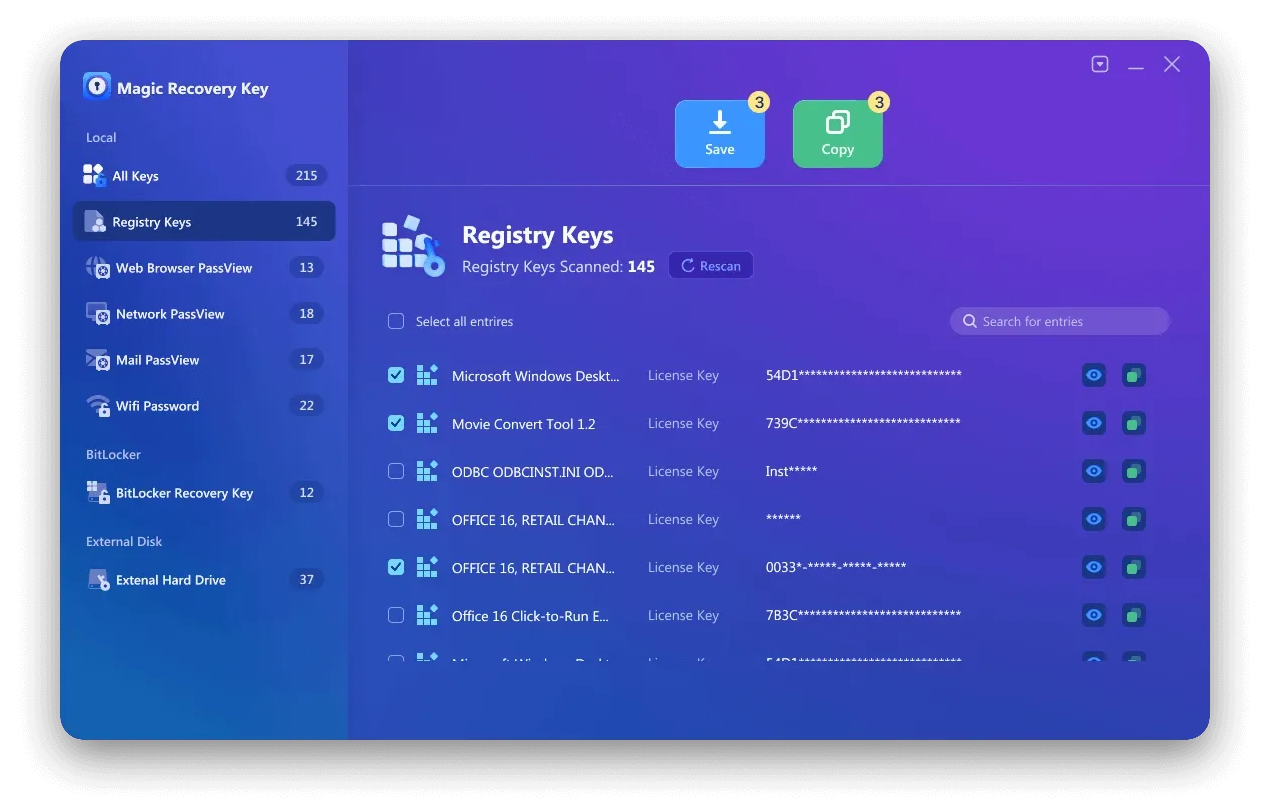
Step 2. On the right panel, view the Applications Registry Keys. Magic Recovery Key will display all keys for installed software. Select and copy the targeted serial numbers. Additionally, you have the option to click either “Copy” or “Save” for your convenience.
Get your Windows product key instantly—download Magic Recovery Key today and secure your activation in minutes!
Supports Windows 7/8/10/11 and Windows Server
2. Using PowerShell to Recover Windows Product Key
If you prefer to use PowerShell, the process is similar, but the commands will be different. To begin, open the Windows 11 search tool and type “powershell.” Locate PowerShell in the search results and click the “Run as administrator” option.
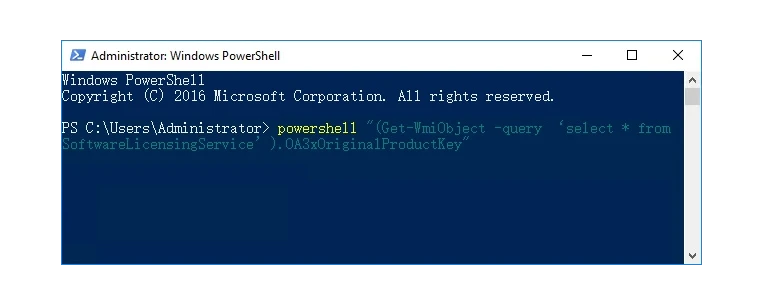
At the PowerShell prompt, type or paste this command, then press Enter:
powershell “(Get-WmiObject -query ‘select * from SoftwareLicensingService’).OA3xOriginalProductKey”
The output will show your Windows 11 product key. Furthermore, this method is ideal for advanced users who prefer scripts over graphical interfaces.
3. Use the Registry in Windows 11 to find Windows 11 Product key
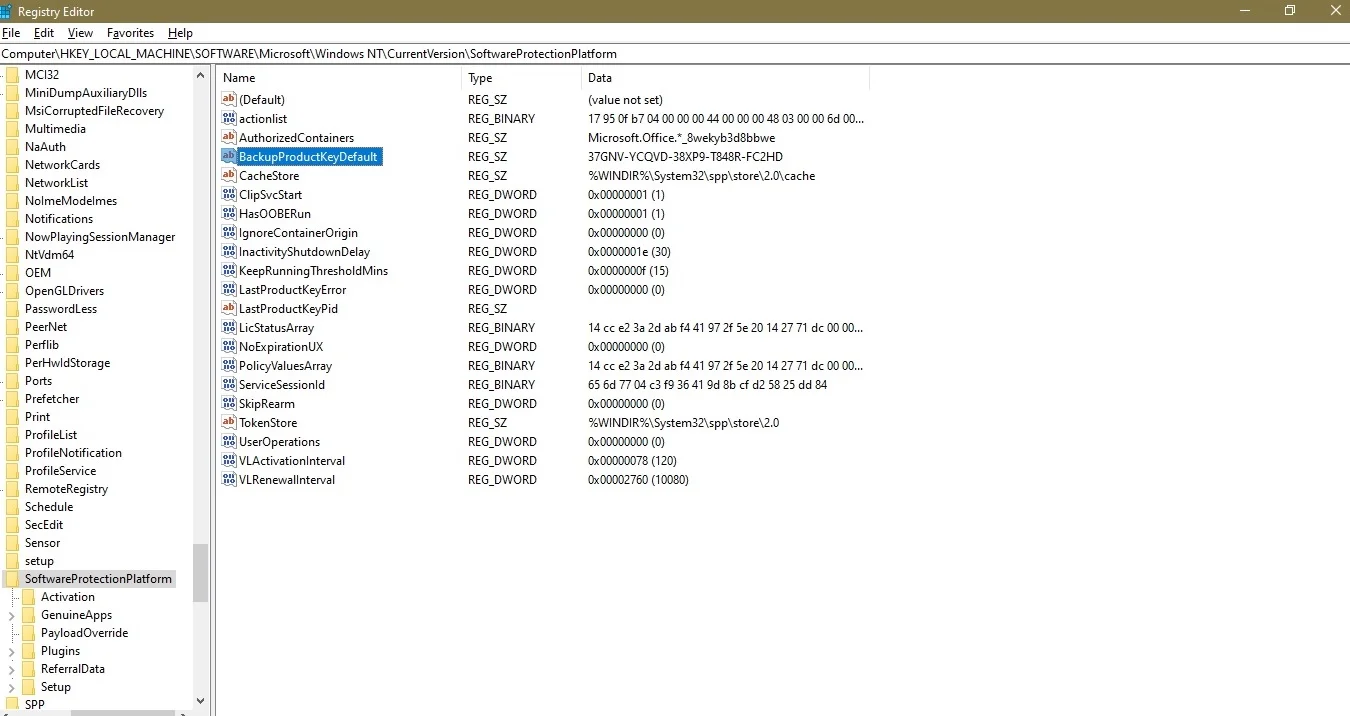
The Windows product key is stored in the Windows Registry, so it’s possible to locate it by navigating to the correct location. To do this, open the Windows 11 search tool and type “regedit.” Select the Registry Editor application from the search results and click “Run as administrator.” In the Registry Editor, use the left-hand window pane to navigate to the following key:
Computer-HKEY_LOCAL_MACHINE-SOFTWARE-Microsoft-Windows NT-CurrentVersion-SoftwareProtectionPlatform
As you can see in the figure below, the BackupProductKeyDefault key will reveal a valid Windows product key. Note: This key may be different from the key revealed by the command prompt or PowerShell.
4. Using Command Prompt to Retrieve Your Windows 11 Product Key
wmic path softwareLicensingService get OA3xOriginalProductKey
This command will display your product key on the screen. In addition, it is a reliable method that does not require additional software. Always type commands carefully to prevent errors.

5. Additional tips for finding Windows 11 product key
While there are other methods that claim to locate and display your Windows 11 product key, the methods outlined above are generally more reliable and secure. The other methods may not always work as intended or could potentially pose security risks.
If you purchased Windows 11 from the Microsoft Store, you can access your account order history to find the product key information. This is a convenient way to retrieve your key if you’ve lost it or forgotten it.
Keep in mind that the product key is tied to your specific installation of Windows 11, so it’s important to keep it safe and secure. Do not share your product key with anyone, as it could be used to activate unauthorized copies of Windows.
How to Check if Your Windows 11 Product Key is Valid
After retrieving your product key, ensure it is valid before using it for activation. First, go to Settings → Update & Security → Activation. Then, enter your key if needed. Moreover, checking the key in advance prevents unnecessary activation issues.
Conclusion
In conclusion, knowing your Windows 11 product key is essential for installation, reactivation, or troubleshooting. Therefore, using built-in methods like Command Prompt or PowerShell is effective for most users. However, if you encounter difficulties, trusted software such as Magic Recovery Key can help you recover your key safely and efficiently. Finally, always store your product key securely to prevent future issues and ensure a smooth Windows 11 experience.
Supports Windows 7/8/10/11 and Windows Server
FAQ
How can I find my Windows 11 product key if I lost it?
Is it legal to use third-party tools to find my product key?
Can I use the same Windows 11 product key on another PC?
What is the difference between a digital license and product key?
Why is my Windows 11 product key not working?
Do I need a product key for Windows 11 installation?

Erin Smith is recognized as one of the most professional writers at Amagicsoft. She has continually honed her writing skills over the past 10 years and helped millions of readers solve their tech problems.